NOTE: Your device has a special e-ink display which conserves
energy and can show content even while off. However, the screen might flicker
significantly during screen updates — this is normal and it is not a sign of a
defective device or screen.
2. Device overview
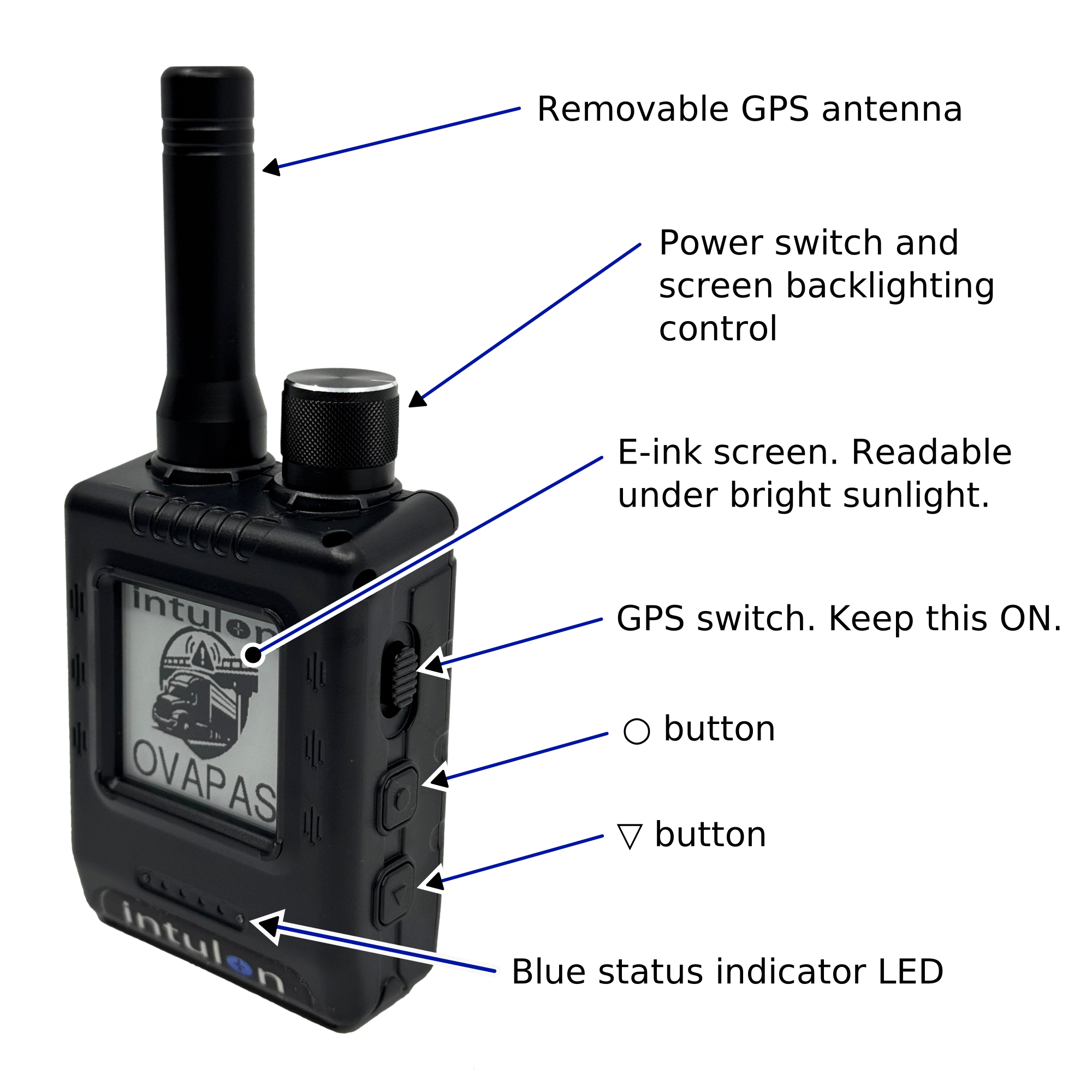
GPS antenna
Removable antenna on top of the device. Keep it fitted —
the OVAPAS receives GPS through it.
Power knob
Top of the device. Rotate to turn the OVAPAS on and off. The
rotary ring also adjusts the screen backlight brightness (while BACKLIGHT is ON
in Settings — see §6).
GPS switch
Two-position side switch labeled GPS. Leave it ON — the OVAPAS
cannot warn without GPS.
○ button
Middle side button: open a menu item,
change a value. Hold it to save.
▽ button
Lower side button: move down a list or
between fields. Hold it to go back, open the menu, or accept the start-up notice.
Blue light
Steady = the OVAPAS is on. Blinking = active hazard
alert. Off = the device is off (the screen keeps its last image even without
power — always check the blue light).
Beeper
Sounds hazard alerts and button feedback. See §7 to turn audio
off.
3. Getting started
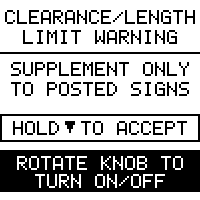
Start-up notice
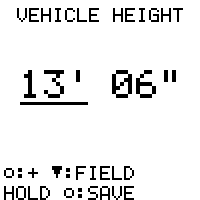
First-run height entry
Rotate the power knob to turn the OVAPAS on. The blue light comes on steady.
Read the notice and hold ▽ to accept. The OVAPAS's warnings are a
supplement only to posted signage — never a substitute for it.
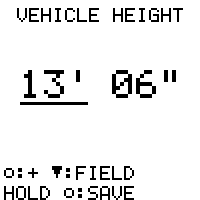
The first start asks for your vehicle height — the tallest point,
including anything on the roof. Press ▽ to step the value,
○ to move between feet and inches, and hold
○ to save.
Place the device on your dash with a clear view of the sky. GPS normally locks
within a minute.
Set your height honestly and re-check it whenever the load changes.
A roof box, antenna, or trailer can make yesterday's safe bridge today's accident.
4. The status screen
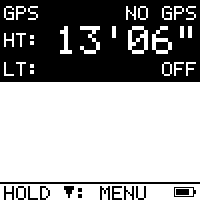
Waiting for GPS
Driving
Overpass ahead
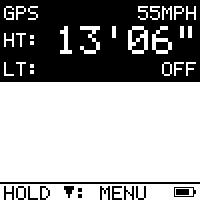
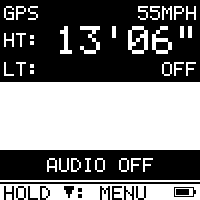
GPS: the top row shows your live speed (or NO GPS while acquiring a
fix). HT: is your vehicle height; LT: is your vehicle
length (OFF means no length is set, so length restrictions are not
checked).
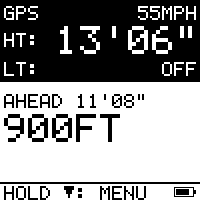
AHEAD appears when a known overpass or restriction is within about a mile
in your direction of travel, with its posted limit and live distance — whether or
not it is a problem for your vehicle.
The battery icon sits bottom right. HOLD ▽: MENU opens
Settings.
If you can see a bridge and the screen shows nothing ahead, that
bridge is not in the database. The OVAPAS can only warn about what it
knows. Obey posted signs first, always.
5. Alerts
Advisory
Muted
Urgent
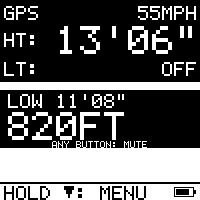
When a hazard ahead is too low (or too long) for your vehicle:
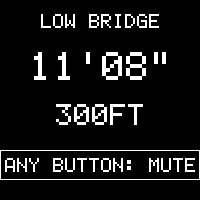
Advisory — at your warning distance: a two-tone warble and an inverted
banner with the posted limit and live distance. It repeats at your chosen
interval while you approach.
Urgent — close to the hazard: the screen inverts entirely and the warble
turns fast and insistent.
Passed — once you are beyond the hazard, the OVAPAS stands down on its own.
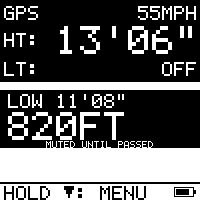
Press any button during an alert to mute that alert; the banner stays until
the hazard is passed. A new hazard alerts normally again.
6. Settings
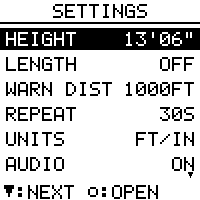
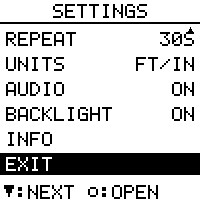
Settings
More items below
▽ press
Move down the list / next field
○ press
Open the selected item / change the value
○ hold
Save
▽ hold
Back without saving
Vehicle height
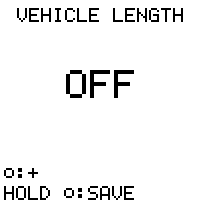
Vehicle length
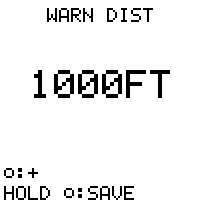
Warning distance
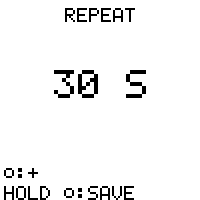
Repeat interval
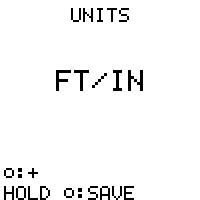
Units
Backlight
Info
Setting
What it does
HEIGHT
Your vehicle height — the basis of every clearance warning.
LENGTH
Your vehicle length, for posted length restrictions. OFF disables
length warnings.
WARN DIST
How far before a hazard the first alert sounds.
REPEAT
How often the alert repeats while you keep approaching.
UNITS
Feet/inches or metric, everywhere.
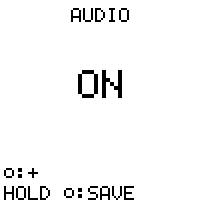
AUDIO
Alert and button sounds on or off (§7).
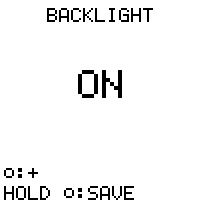
BACKLIGHT
Screen backlight on or off. The brightness knob only works
while BACKLIGHT is ON. The backlight stays faintly lit even at the knob's lowest
setting, so switching it OFF extends battery life when you don't need it.
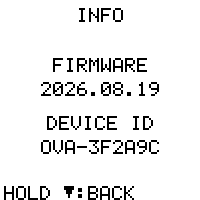
INFO
Firmware version.
7. Audio on/off
Audio setting
AUDIO OFF band
Turn all sound off in Settings > AUDIO, or hold ○ on the
status screen. While audio is off the status screen shows an unmissable
AUDIO OFF band, and visual alerts (screen + blinking light) continue.
Audio always returns to ON when the device restarts — a silenced
device never stays silenced by accident.
8. Battery
Battery empty
Charge with the included USB cable. The battery icon (status screen, bottom
right) shows the level.
At 10% the OVAPAS sounds three low beeps, repeating occasionally.
At 5% it beeps urgently and the screen changes to PLEASE CHARGE TO
CONTINUE. If the battery then runs out, that message stays on the screen —
a reminder the device is no longer protecting you.
9. Updates
Firmware updates (including refreshed hazard data) are free. On any computer:
Download the OVAPAS updater for your system from
ovapas.intulon.com (Windows, macOS, Linux). On Linux, make it
executable first: chmod +x intulon-ova-update-linux-amd64.
Connect the OVAPAS with the included USB cable and turn it on.
Run the updater — it finds the device, downloads the latest updates,
and applies them. The OVAPAS verifies every update before installing and
restarts by itself; your settings are kept.
An interrupted update cannot damage the device — simply run the updater
again.
10. Important safety information
The Intulon OVAPAS is a driver aid. Its warnings are a supplement only to posted
signage and never a substitute for it. Clearance and restriction data may be
incomplete or out of date; the absence of a warning never means a route is safe.
Always obey posted limits and plan routes appropriate for your vehicle. Keep your
configured vehicle height and length current.
11. Regulatory information
This device complies with Part 15 of the FCC Rules. Operation is subject
to the following two conditions: (1) this device may not cause harmful
interference, and (2) this device must accept any interference received,
including interference that may cause undesired operation.
Changes or modifications not expressly approved by Intulon could void
the user’s authority to operate the equipment.
Responsible party: Intulon · 11166 Fairfax Blvd, Suite 500,
Fairfax, VA 22030 · ovapas.intulon.com